> ## Documentation Index
> Fetch the complete documentation index at: https://akashmunshi.com/llms.txt
> Use this file to discover all available pages before exploring further.
# How to vibe code complex softwares?
> It's time to stop vibe coding landing pages and build software that actually makes your life easier.
I think I started vibe coding a little before it was actually a thing. I remember I used to have two major tools that I used at that point: VSCode and ChatGPT Mac App. I am putting specific focus on the ChatGPT Mac App because it had a small but super effective feature: the floating chat window. The setup used to look exactly like the way the cursor looks today - VSCode open with the ChatGPT floating widget on the right side of my screen.
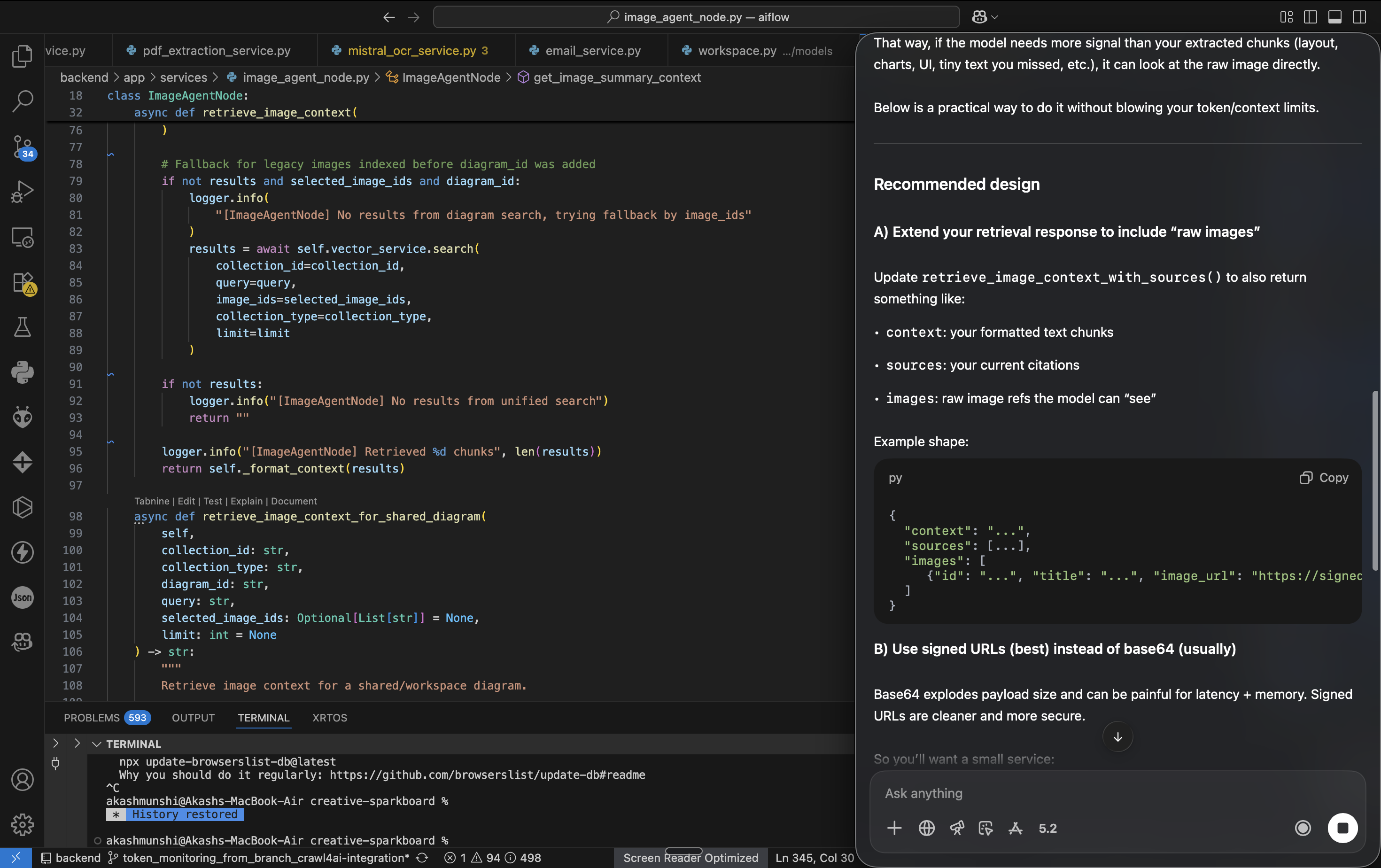 And yes, I used to copy, paste, or modify by looking at the code ChatGPT suggested. I actually created an end-to-end agent builder back then, and it took me roughly three weeks to create a decent version.
The sense of pride was that not everyone could build something like that back then without knowing about building agents. But the good news is that in today's date, anyone can build anything.
Here's one mental model you should always follow before building any software.
> Do not get overwhelmed by the complexity of any existing similar software. Any complicated system can be broken down into smaller parts. We need to just execute those smaller parts perfectly while keeping the context of the larger picture.
>
> Trust the process.
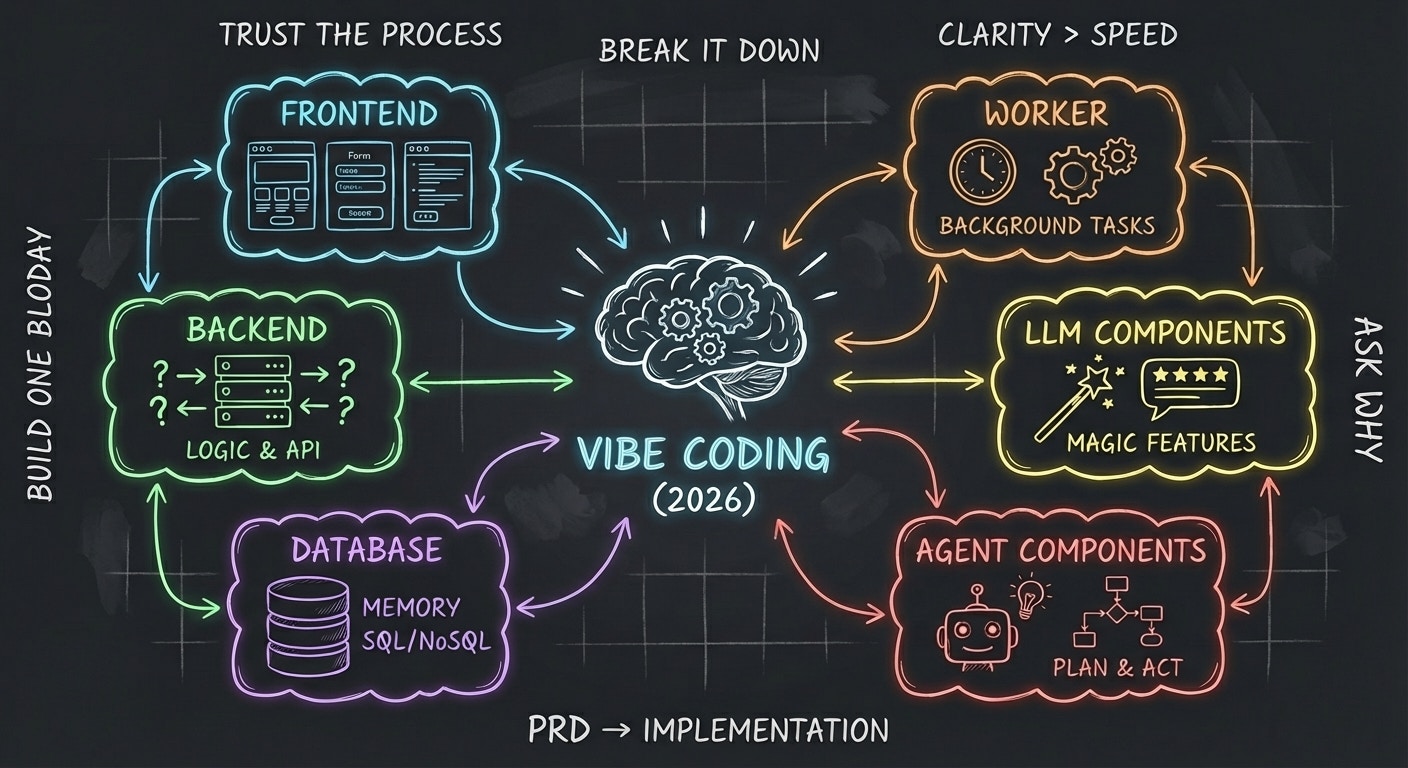
In 2026, any typical software has a set of distinct parts to it
1. Frontend
2. Backend
3. Database
4. Worker
5. LLM Components
6. Agent Components
You don’t need to master everything. You just need to **understand what each block does and why it exists**. Think of software like a **restaurant** — different roles, one experience.
And yes, I used to copy, paste, or modify by looking at the code ChatGPT suggested. I actually created an end-to-end agent builder back then, and it took me roughly three weeks to create a decent version.
The sense of pride was that not everyone could build something like that back then without knowing about building agents. But the good news is that in today's date, anyone can build anything.
Here's one mental model you should always follow before building any software.
> Do not get overwhelmed by the complexity of any existing similar software. Any complicated system can be broken down into smaller parts. We need to just execute those smaller parts perfectly while keeping the context of the larger picture.
>
> Trust the process.
In 2026, any typical software has a set of distinct parts to it
1. Frontend
2. Backend
3. Database
4. Worker
5. LLM Components
6. Agent Components
You don’t need to master everything. You just need to **understand what each block does and why it exists**. Think of software like a **restaurant** — different roles, one experience.
 ## **1. Frontend - What users see and interact with**
This is the **visual layer** of your product - Buttons, Screens, Forms, Animations, Text, images, layouts etc.
**Good news:**
This is the *easiest and most fun* part to build today.
### **How to approach it**
* Don’t overthink concepts like HTML, CSS, React, etc.
* Start building.
* Read the design or planning doc.
* Implement screen by screen.
You’ll naturally learn: What clicks do, How data flows, Why something breaks visually
**Rule of thumb:**
If users can see it or click it, it’s frontend.
## **2. Backend - The brain behind the app**
The backend is where **logic lives**.
It answers questions like:
* What happens when a user clicks “Submit”?
* Where does the data go?
* Who is allowed to do what?
This is the **most important mental model** to get right.
### **What the backend actually does**
* Receives requests from the frontend
* Validates data
* Talks to the database
* Sends responses back
### **What you should focus on**
* What is an API?
* How does one request turn into one response?
* How to debug when something fails
You don’t need to memorize frameworks. You need to understand **cause → effect**.
**Rule of thumb:**
If logic decides *what should happen*, it’s backend.
## **3. Database**
**The memory of your app.** A database is where your app **remembers things**.
* Users
* Messages
* Orders
* Files
* Settings
### **Two simple choices**
* **NoSQL** → flexible, fast to start, fewer rules
* **SQL** → structured, reliable, industry standard
If you’re using SQL:
* Just learn basics like: Tables, Rows, Columns, Primary keys
Enough to **understand what AI or error messages are saying**.
**Rule of thumb:**
If data needs to exist tomorrow, it goes in the database.
## **4. Workers - Things that should happen in the background**
Not everything should run instantly. Some tasks like Sending emails, sending notifications, processing files, running scheduled jobs, responding to events, That’s where **workers** come in.
### **Why workers exist**
* They prevent your app from feeling slow
* They run tasks later or repeatedly
* They make systems reliable at scale
Examples:
* “Send this email after 5 minutes”
* “Check this condition every hour”
* “Process this video in the background”
**Rule of thumb:**
If it doesn’t need an immediate response, it belongs in a worker.
## **5. LLM Components - AI features that feel magical**
LLMs give your app **superpowers**. They can: Rewrite text, summarize documents, answer questions, generate images, analyze content
These are usually:
* External APIs
* Models you call when needed
* Pay-per-use tools
### **Important mindset**
* LLMs are **tools**, not your entire app
* Use them where they add real value
* Keep inputs and outputs clear
**Rule of thumb:**
If it feels like “AI did this for me,” it’s an LLM component.
## 6. Agent Components - AI that can plan, decide, and act.
Agents are **LLMs with memory, tools, and goals**.
Instead of:
> “Do this one thing”
You get:
> “Figure out what needs to be done and do it”
### **What agents can do**
* Break problems into steps
* Call APIs
* Use tools
* Remember context
* Take actions based on conditions
This is where apps become:
* Autonomous
* Proactive
* Less manual
Agents sit **on top of everything else**.
**Rule of thumb:**
If AI is making decisions instead of just responding, it’s an agent.
## **The Big Picture (Important)**
You don’t build everything at once. Most apps evolve like this:
1. Frontend + Backend
2. Add Database
3. Add Workers
4. Add LLM features
5. Add Agents if needed
Modern tools let you **vibe code** - but clarity comes from understanding *why* each part exists.
## Some small habits that have kept me on top of things while building apps
* You should have a habit of understanding what is what. To build this, whatever you feel is not clear in your head, ask the Copilot tool you are using. Make sure that tool has access to your codebase. Don't ask ChatGPT. It does not have your project's context. But cursor/Claude-Code/Copilot - basically where you are working, you should ask that agent.
* Ask a lot of whys to the agent.
* Create a habit of creating PRDs -> Technical Implementation Doc and then implement the code using agent mode. Yes, you will burn extra tokens, but this helps you understand the systems and will improve the skill of writing better prompts.
* **Be religious about reading the PRDs, Summaries and tech docs.**
Most people think, software is complicated. It isn't. It's just many simple things done with clarity. Once you stop treating software as magic and start treating it as systems with intent, everything changes.
Vibe coding is not about moving fast. It's about thinking clearly while moving fast. Understand the blocks. Respect why they exist and then let tools do the heavy lifting. The best part about 2026 is -
> You don't need to learn everything, no need to get the perfect stack and most importantly no excuse to wait.
>
> Pick one idea. Break it into blocks. Build one block today.
This is the best time in history to be a builder. And if you're reading this - you already are one.
Cheers!
## **1. Frontend - What users see and interact with**
This is the **visual layer** of your product - Buttons, Screens, Forms, Animations, Text, images, layouts etc.
**Good news:**
This is the *easiest and most fun* part to build today.
### **How to approach it**
* Don’t overthink concepts like HTML, CSS, React, etc.
* Start building.
* Read the design or planning doc.
* Implement screen by screen.
You’ll naturally learn: What clicks do, How data flows, Why something breaks visually
**Rule of thumb:**
If users can see it or click it, it’s frontend.
## **2. Backend - The brain behind the app**
The backend is where **logic lives**.
It answers questions like:
* What happens when a user clicks “Submit”?
* Where does the data go?
* Who is allowed to do what?
This is the **most important mental model** to get right.
### **What the backend actually does**
* Receives requests from the frontend
* Validates data
* Talks to the database
* Sends responses back
### **What you should focus on**
* What is an API?
* How does one request turn into one response?
* How to debug when something fails
You don’t need to memorize frameworks. You need to understand **cause → effect**.
**Rule of thumb:**
If logic decides *what should happen*, it’s backend.
## **3. Database**
**The memory of your app.** A database is where your app **remembers things**.
* Users
* Messages
* Orders
* Files
* Settings
### **Two simple choices**
* **NoSQL** → flexible, fast to start, fewer rules
* **SQL** → structured, reliable, industry standard
If you’re using SQL:
* Just learn basics like: Tables, Rows, Columns, Primary keys
Enough to **understand what AI or error messages are saying**.
**Rule of thumb:**
If data needs to exist tomorrow, it goes in the database.
## **4. Workers - Things that should happen in the background**
Not everything should run instantly. Some tasks like Sending emails, sending notifications, processing files, running scheduled jobs, responding to events, That’s where **workers** come in.
### **Why workers exist**
* They prevent your app from feeling slow
* They run tasks later or repeatedly
* They make systems reliable at scale
Examples:
* “Send this email after 5 minutes”
* “Check this condition every hour”
* “Process this video in the background”
**Rule of thumb:**
If it doesn’t need an immediate response, it belongs in a worker.
## **5. LLM Components - AI features that feel magical**
LLMs give your app **superpowers**. They can: Rewrite text, summarize documents, answer questions, generate images, analyze content
These are usually:
* External APIs
* Models you call when needed
* Pay-per-use tools
### **Important mindset**
* LLMs are **tools**, not your entire app
* Use them where they add real value
* Keep inputs and outputs clear
**Rule of thumb:**
If it feels like “AI did this for me,” it’s an LLM component.
## 6. Agent Components - AI that can plan, decide, and act.
Agents are **LLMs with memory, tools, and goals**.
Instead of:
> “Do this one thing”
You get:
> “Figure out what needs to be done and do it”
### **What agents can do**
* Break problems into steps
* Call APIs
* Use tools
* Remember context
* Take actions based on conditions
This is where apps become:
* Autonomous
* Proactive
* Less manual
Agents sit **on top of everything else**.
**Rule of thumb:**
If AI is making decisions instead of just responding, it’s an agent.
## **The Big Picture (Important)**
You don’t build everything at once. Most apps evolve like this:
1. Frontend + Backend
2. Add Database
3. Add Workers
4. Add LLM features
5. Add Agents if needed
Modern tools let you **vibe code** - but clarity comes from understanding *why* each part exists.
## Some small habits that have kept me on top of things while building apps
* You should have a habit of understanding what is what. To build this, whatever you feel is not clear in your head, ask the Copilot tool you are using. Make sure that tool has access to your codebase. Don't ask ChatGPT. It does not have your project's context. But cursor/Claude-Code/Copilot - basically where you are working, you should ask that agent.
* Ask a lot of whys to the agent.
* Create a habit of creating PRDs -> Technical Implementation Doc and then implement the code using agent mode. Yes, you will burn extra tokens, but this helps you understand the systems and will improve the skill of writing better prompts.
* **Be religious about reading the PRDs, Summaries and tech docs.**
Most people think, software is complicated. It isn't. It's just many simple things done with clarity. Once you stop treating software as magic and start treating it as systems with intent, everything changes.
Vibe coding is not about moving fast. It's about thinking clearly while moving fast. Understand the blocks. Respect why they exist and then let tools do the heavy lifting. The best part about 2026 is -
> You don't need to learn everything, no need to get the perfect stack and most importantly no excuse to wait.
>
> Pick one idea. Break it into blocks. Build one block today.
This is the best time in history to be a builder. And if you're reading this - you already are one.
Cheers!